
Buy Microsoft Office 2024 for PC & Mac
Choose your edition and platform to get started.
Office Home 2024
For home and study


- Documents & spreadsheets
- Presentation tools
- For personal use
BYTANE15 is applied at checkout for eligible Office 2024 products.
Office Home & Business 2024
For work and home

- Documents & presentations
- Outlook email & calendar
- For home & business
BYTANE15 is applied at checkout for eligible Office 2024 products.
Office Professional Plus 2024
For advanced business needs

- Documents & presentations
- Access database tools
- Windows PC only
BYTANE15 is applied at checkout for eligible Office 2024 products.
Compare what’s included
Applications and availability shown for the selected Office 2024 listings.
| Application / use | Home 2024 | Home & Business 2024 | Professional Plus 2024 |
|---|---|---|---|
| Word, Excel & PowerPoint | ✓ | ✓ | ✓ |
| Outlook email & calendar | — | ✓ | ✓ |
| Access database tools | — | — | ✓ Windows only |
| Platform | PC or Mac | PC or Mac | Windows PC |
| Personal documents & study | Best fit | ✓ | ✓ |
| Business email workflows | — | Best fit | ✓ |
Understand the difference before choosing
Office 2024: one-time purchase
Pay once for the Office 2024 edition you choose and use the included desktop applications without a monthly or annual Office subscription.
- Perpetual use of the purchased version
- Applications depend on edition and platform
- Device limits follow the product license
- Future major releases are separate purchases
Microsoft 365: subscription
Microsoft 365 uses recurring payments. Its applications, cloud storage, services, and device allowances depend on the selected plan.
- Recurring payments maintain the subscription
- Updates while the subscription remains active
- Cloud services vary by plan
- Different licensing from a one-time purchase
Compatibility, licensing & activation
Check the requirements for your selected operating system before purchasing.
Office Home 2024
Available in separate Windows PC and Mac listings. Includes Word, Excel, and PowerPoint for home and study.
View Windows requirements →View Mac requirements →
Office Home & Business 2024
Adds Outlook for email and calendar workflows. Confirm the current Windows or macOS requirements on your selected listing.
View Windows requirements →View Mac requirements →
Office Professional Plus 2024
A Windows-only edition with Word, Excel, PowerPoint, Outlook, and Access for advanced business needs.
View requirements & license details →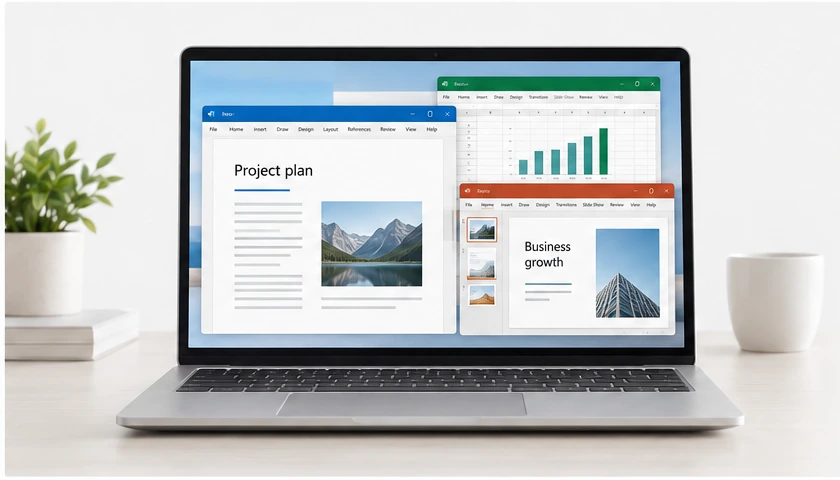
From purchase to productivity
Choose the Office edition for your device, receive your license digitally, and follow the included setup instructions.
- Digital deliveryLicense access through your delivery email and order details.
- Clear product choicesCheck edition features and device compatibility.
- Setup instructionsGuidance for download, installation, and activation.
- Customer supportHelp with your order and getting started.
Your Office license.
Delivered digitally.
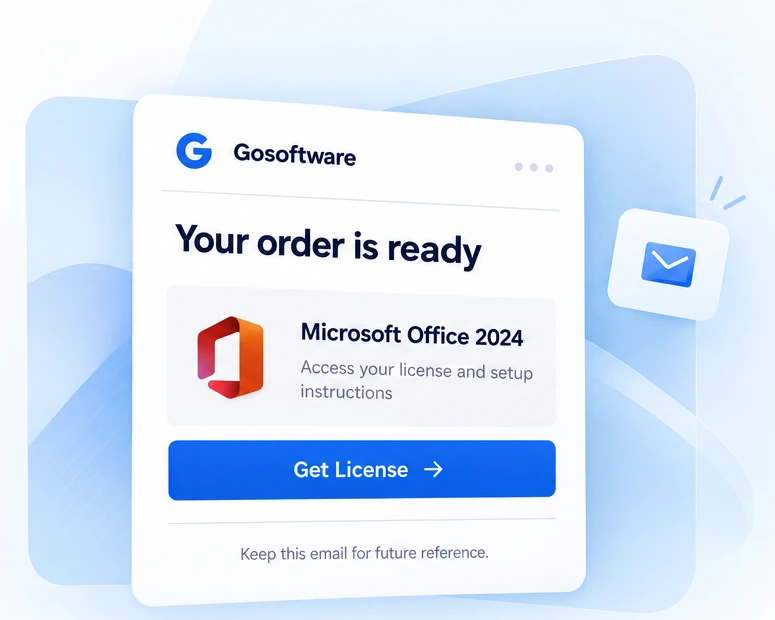
Get your license and setup instructions by email after payment verification. No physical shipping and no parcel wait.
01 · Complete your purchase
Choose your Office edition and check out.
02 · Open your delivery email
Access your license and setup instructions.
03 · Install and activate
Follow the instructions for your product.
Can’t find your email? Check spam or contact support.

Buying Office for your team?
Contact us for multiple-license purchases, product selection help, and invoice requests. Tell us your preferred edition, device type, and number of licenses.
- Multiple-license enquiries
- Business invoice requests
- Help choosing Office editions
Office 2024 questions
Are these genuine Microsoft Office licenses?
OfficeBytane lists genuine, authorized Microsoft product licenses. Your delivery includes the license and official setup route for the exact product and platform purchased.
Is Office 2024 a subscription?
No. The Office 2024 perpetual products shown here are one-time purchases for the purchased version. Microsoft 365 is a separate subscription service.
How long does delivery take?
Delivery begins after payment verification. Timing can vary with payment review and order checks; any delivery estimate in your order communication applies.
How do I download and install my purchased software?
Use the official download or setup route in your delivery email, then follow the included installation and activation instructions.
Which edition should I choose?
Home covers Word, Excel, and PowerPoint. Home & Business adds Outlook. Professional Plus adds Outlook and Access on Windows.
Can I use Office 2024 on Windows or Mac?
Home and Home & Business have separate PC and Mac listings. Professional Plus is Windows-only. Choose the listing for your device.
Can I use this license on multiple devices?
Device limits follow the specific product license. Check the listing rather than assuming a one-time purchase covers multiple devices.
Will I receive a physical box?
No. Delivery is digital, including license and setup information by email.
What should I do if my key does not activate?
Review the activation guide and contact support with your order number, product, operating system, and a screenshot that hides the full product key.
Do you provide installation and activation support?
Yes. Use the Contact page to send the order and device details needed to investigate your setup issue.